Showing posts with label iphoneography blog. Show all posts

Friday, August 16, 2013

Flying High With the iPhone

Flying High With the iPhone
My pal, surfing instructor, and renowned Photoshop guru Jack Davis was flying high with his iPhone the other day and sent these terrific captures. He used apps
Instagram and ProHDR.

He calls this little portfolio: "What to do when you can't get a window view - steal someone else's!"

Ten Reasons To Make The iPhone Your Main Camera

Ten Reasons To Make The iPhone Your Main Camera


1. The best camera is the one you have with you. The shots that I used to miss when I left my big girl camera at home or in the trunk of my car remain embedded in my brain. And while neurochromes (as photo wizard John Barclay refers to mind-only pictures) make for wonderful memories, I sure wouldn’t mind having a few of the ones that got away. My iPhone is always with me.

iPhone Guest Gallery: Other Realities

iPhone Guest Gallery: Other Realities


Exploring other realities, the world just outside our ordinary view, has long been a theme in my photography. Which is why I am so excited about these most recent submissions to iPhone Diva. These iPhoneographs are incredibly inspiring, allowing a glimpse into three distinct parallel universes. Enjoy!

Robin Robertis shares her most recent photo art piece entitled "Sisters". I'm waiting to hear which apps and will update this post as soon as I know. Right now, I'm just loving the image.
Shock my pic app enhances Brian Kavanaugh Jones's unexpected (and very cool) perspective in this photograph.

Dare To Break The Rules With Your iPhone

Dare To Break The Rules With Your iPhone


I love attending the Merrie Monarch hula festival and competition. It's sort of an annual Hula Olympics if you will. As the official photographer for our Halau (hula school or group), I used my "big girl" cameras to document the event each time we participated. And along with the documentation, I got to take loads of artsy pictures - slow shutter speed motion blurs being my favorites.

iPhone Photojournalism

Recently I accompanied my girlfriend Karen down to Kalaupapa peninsula here on Molokai. We hiked down the highest sea cliffs in the world to take the tour of the infamous leper colony, where so many Hawaiians were exiled during a most shameful period of history.
iPhone Photojournalism

Karen was slated to write an article for the LA Times and I brought along my trusty iPhone. As always, the tour was moving and emotional, while the natural beauty of the place was jaw dropping. And the iPhone apps helped me enhance the feeling of this most spiritual place. The best camera is the one you have with you - and for me that's most often the iPhone.

Autopainter Turns iPhone Photos Into Paintings

Autopainter Turns iPhone Photos Into Paintings


“What are you doing?” Dewitt asked as I sat staring intently at my iPhone. “Painting,” I answer.

Autopainter and Autopainter II are two “crazy good” apps for creating photo art paintings. You choose an image and a style of painting such as chalk or felt tip, click start, sit back and watch it work.

Sunset Strolls With the iPhone

Summer is here finallly, though you wouldn’t guess it by the amount of snow on the peaks here in Tahoe. Still, it is warm enough for an evening stroll along the lake shore. ProHDR and Tiffen’s Photo FX optimized this photo (with a little added sharpening from Perfect Photo app.)

Sunset Strolls With the iPhone


Wednesday, August 14, 2013

Fab New App - Pixel Blend

Fab New App - Pixel Blend
Fab New App
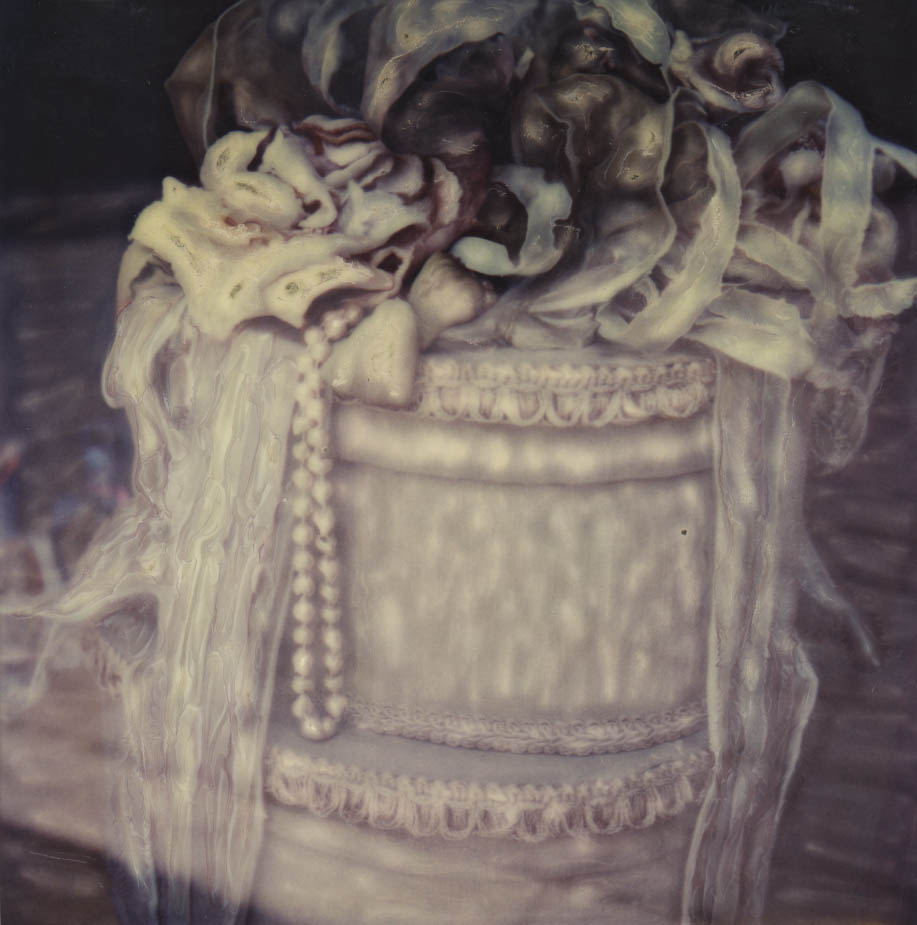
There is a fantastic new app out for the iPad (and coming soon for the iPhone) that I am so excited about. Back in the day, hubby Dewitt and I loved the Polaroid emulsion manipulation process with Time Zero/SX70 film and cameras. Basically, we'd use crochet hooks and other tools to "smoosh" the emulsion around before it hardened to create a painterly effect. There is a new Time Zero film out now and you could conceivably still do this process in its pure form.

iPhone Art Gallery

iPhone Art Gallery
iPhone Art Gallery
An exultation of photos are featured in this gallery by some of iPhone Diva's favorite contributors. These iphoneographs blew my socks off! OK, I wasn't wearing socks, but if I had been, they'd be history.

iPhone Gallery: A Family Affair

iPhone Gallery
The Ruderman family practices iPhoneography together. Each is artistic in his/her own right and each has a unique vision. We are lucky enough to get a sample of their wonderful submissions to Viewpoint Gallery's cell phone only photo art competition.

Fabulous App Pixel Blend Pro for the iPhone


Fabulous App Pixel Blend Pro for the iPhone
Hallelujah! Pixel Blend app is now available for the iPhone! (Drumroll, please!) (Here's the review of the iPad version for those who missed it.) I know that many of you have been waiting patiently - I'm delighted to report that your wait is over. For fans of the SX70 - Polaroid Time Zero emulsion manipulation process, this is a must-have app! If you love impressionist painted-look photos, you'll also want to download it ASAP.

New iPhone Photo Gallery

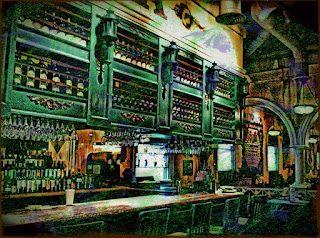
iPhoneographer John Derby contributes a few of his favorite iPhone images to iPhone Diva. To create The Green Bar, he used these Apps: Snapseed, Pro HDR, Simply HDR, Grungetastic HD.
New iPhone Photo Gallery
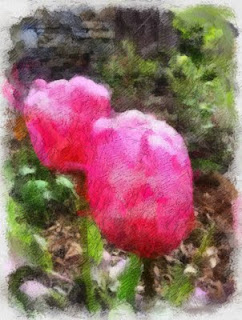
 About Iris #4, John says:  "I used only Pro HDR, and Snapseed (get the joke?) on this flower's pic." Love the selective focus here.

Painteresque: iPhone Diva’s New Fave App

I was asked the other day what might be my favorite iPhone photo art app. That’s hard to answer - because I have lots of favorites - and they change all the time.

Painteresque: iPhone Diva’s New Fave App
iPhone Diva’s New Fave App
It all depends on what I want to convey in an image, and that usually involves a number of apps for each shot. Sometimes I’ve previsualized - taking a shot with a specific app in mind; other times it’s an organic process of just working a photo until it “feels right”.

Tuesday, July 30, 2013

An iPhoneographer in Paris, Part Deux

An iPhoneographer in Paris, Part Deux
An iPhoneographer in Paris
Sometimes (in my case, rarely) an iPhone photo doesn't need to be apped all that much. These three Paris scenes were apped only with Snapseed to optimize. I'm sure that in the future I will revisit them and app them madly. But for now, they are enough for me just as they are. Alleyway wall in the Latin Quarter. Magritte lives.

Creative Photography and iPhoneography Workshop

Creative Photography and iPhoneography Workshop
 Sunset in Kapuaiwa Palm Grove, Moloka`i Hawai`i    © lynette sheppard  iPhone photo

Jack Davis, Photoshop guru, creative animal, and iPhoneography maniac is once again teaching in beautiful Moloka`i, Hawai`i this fall. But this workshop will be a little different.

A Glissando of Gondolas

A Glissando of Gondolas
If a group of larks is called an exultation, what do you call a bunch of gondolas? A glory of gondolas? A glide? A glissando? OK, maybe I'm going overboard but it is hard not to wax poetic about these slender craft in Venice. I took way too many iPhone shots of them and love them all. I used Slow Shutter Cam to actually paint these moored craft in the dawn light on the Riva degli Schiavoni. I used to think that the light in Titian's paintings was enhanced by a significant amount of imagination but now I see he was just painting what was right in front of him.

iPhoneography Collaboration In Lake Tahoe

iPhoneography Collaboration In Lake Tahoe
Photography can often be a solitary pursuit. Yet the creative vehicle can get a kickstart from just hanging out with other photographers. A few weeks ago, John Derby, iphoneographer and contributor to this blog, visited me in Lake Tahoe. We thought it would be fun to share a couple shots from each of us and a collaboration photo from both of us.

Thursday, July 25, 2013

Smoosh: New Fab Painting App from Pixel Blend Creator

Pixel Blend, a painting app that simulates the process of Time Zero Polaroid SX70 emulsion "painting" is one of my favorite apps. Now, Michael Valdez has come out with its easier to use cousin: Smoosh. (Smooshing is what we SX70 enthusiasts used to say we were doing when we moved the emulsion on the Polaroid prints.) I tried it and I love it! It's intuitive and user-friendly - even if you've never heard of SX70 or Time Zero or heaven forbid, Polaroid.

Red Jalopies iPhone Style

Red Jalopies iPhone Style
In Bridgeport, California, Dewitt and I were treated to 100 year old automobiles crowding into town for an annual gathering. Followed them all over town with our iPhones at the ready. As my iPhoneography pals say, "If it's red, shoot it."

I used Hipstamatic: Dreamcanvas and Tejas to capture some of the details of the story. BTW, Hipstamatch is a must have app if you want to have an idea which of your kabillions of lens/film combinations will give you the desired result.

iPhone Diva Lynette Sheppard’s 10 Must Have Apps


iPhone Diva Lynette Sheppard’s  10 Must Have Apps
iPhone Diva Lynette Sheppard’s  10 Must Have Apps
I've been asked by beginning iPhoneographers and professionals alike for a list of my fave apps. The problem, as I always tell them, is that I switch preferences day to day. My favorites are usually the one(s) I've just used. I'm not fickle - I just fall in love with new apps and/or old standbys on a moment to moment basis. However, if you could only have 10 apps (how crazy is that?), these are the ones I think you should start with: