Showing posts with label iPhone photos. Show all posts

Friday, August 16, 2013

Head In The Clouds and iPhone Too

Head In The Clouds and iPhone Too


Brian Kavanaugh Jones has been traveling a lot lately. Time on airplanes, in highrise hotels and the like. He has his head in the clouds - and is capturing the view on his iPhone. The results are a cut above. Enjoy.

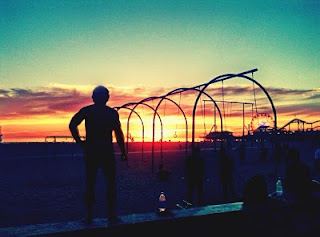
Sunset with the iPhone

Brian Kavanaugh Jones does sunset with his iPhone. Check out these two great images.

Sunset with the iPhone

Agave Dreams

Agave Dreams
Agave Dreams
I love agave plants. And not just because some of them are responsible for tequila. I love their beauty, their form, and their succulence. And I love having them in the garden as subjects for photography and celebration. The other day I worked an iPhone photo of one plant with some of my favorite apps.

iPhoneography to the Max

iPhoneography to the Max
Okay, photo friends, iPhone Diva is back. I went on retreat for a couple of months, but my little phone/camera has been smokin'! I got invited to join a group of extremely talented iPhone (and all camera) photographers and my creativity has gotten a real infusion. Kind of like getting a drink of water from a fire hose.

Wednesday, August 14, 2013

Fab New App - Pixel Blend

Fab New App - Pixel Blend
Fab New App
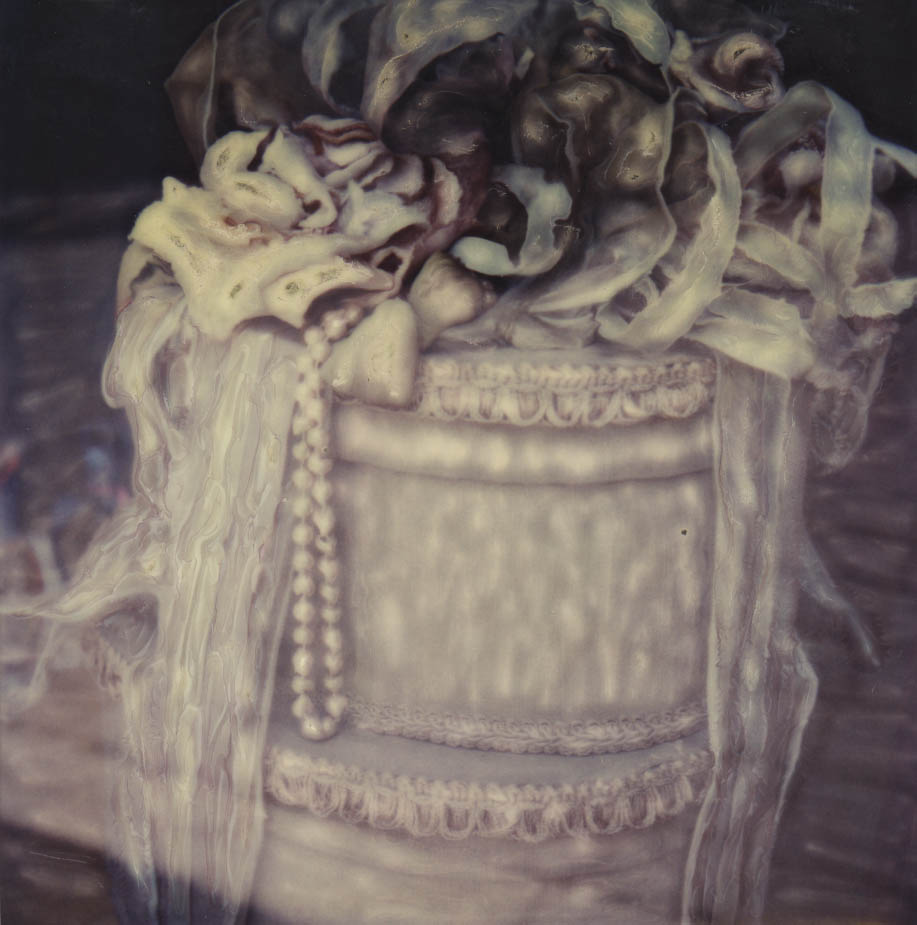
There is a fantastic new app out for the iPad (and coming soon for the iPhone) that I am so excited about. Back in the day, hubby Dewitt and I loved the Polaroid emulsion manipulation process with Time Zero/SX70 film and cameras. Basically, we'd use crochet hooks and other tools to "smoosh" the emulsion around before it hardened to create a painterly effect. There is a new Time Zero film out now and you could conceivably still do this process in its pure form.

iPhone Art Gallery

iPhone Art Gallery
iPhone Art Gallery
An exultation of photos are featured in this gallery by some of iPhone Diva's favorite contributors. These iphoneographs blew my socks off! OK, I wasn't wearing socks, but if I had been, they'd be history.

Friday, August 20, 2010

Jack Davis Says: Ya Gotta See This

My dear friend and reknowned Photoshop guru Jack Davis, author of the Photoshop Wow books and all kinds of DVD's and cool stuff has graciously contributed some iPhone pix for our viewing pleasure. The app featured below is called aptly enough "Ya Gotta See This". Sadly, it only works on the iPhone 4, so those of us who are anxiously awaiting the end of our contracts will suffer delayed gratification. Those who have the new phone will likely want to download it immediately.

Recently, Jack was teaching a workshop near Los Osos, California, which is close to San Simeon and Hearst Castle. I guarantee you've never seen Hearst Castle quite like this. Enjoy!


Friday, August 13, 2010

Going for my Collage Degree

The iPhone Diva is hooked on collaging. Here are some random collages using either Collage or Montage to combine a series of images, or the same image resized over and over. Other apps used to enhance the final image are listed with each photo.

Picmix was used to layer color and black and white image and repaint the color back in in this shot combining prismatic view of Mono Lake tufas with a butterfly. Don't ask why, I just felt like it.

This is one of my favorite trees. I photograph it over and over. (It's on Papohaku Beach on the island of Molokai). Each tree image was worked in a number of apps, including Vihgo, Camera Bag, and Photogene. There may be others I can't remember.


At last, a simple one. Various rose images, turned black and white with tiffen's photofx. The sepia tone and edges are from the Burnt Paper filter in Art Camera app.

A multitude of butterflies, some inverted in Art Camera. Final touch was the Picasso filter in Art Camera app. That's my story and I'm sticking to it.

Wednesday, July 21, 2010

Paris Re View

iPhone artist Jon Leland was also in Paris this summer with his lovely bride Karen. He shares the following images from his trip: ToonPaint app figured in prominently in many of these images. Vive la France! Enjoy!


Wednesday, June 2, 2010

Cannes Do Photography, iPhone Style

Brian Kavanaugh Jones attended the Cannes film festival in the South of France recently. (Yes, it was work!) He did have a chance to snap and work some iPhone shots. The four waterfront views are the same view worked with various apps - see if you can guess which apps he used - all of them have been featured here on iPhone Diva at one time or another. I like all four permutations.


These final three photos are unique Cannes moments. Enjoy.


Wednesday, May 19, 2010

When A Flower Is More Than A Flower

Sister iPhone Diva Judy Norton created these beautiful images. Here's how she did the first one:

"In Fl we have a tree called the orchid tree; although it has no relation to what we know as orchids, the flower may look similar to some species. In this case the flower was deep pink. I coupled it in DXP with palmetto fronds and then played around with it in Ezimba. Love that app!"


About this second photo, she says:
"More messing around with Ezimba and a sunflower. I can't remember the order, 'cause once I start playing, I don't always remember where I've been."

Really? Gee, I always remember where I've been. NOT!!!

Sunday, May 16, 2010

Collage # 5 from iPhone Diva

Here's the latest collage using Montage, FotoMuse, ArtCamera apps and a new cool app called TouchUp painting in an embossed look to part of the collage. You can bet I'll be doing more with this app, lots more.

Friday, May 14, 2010

Collages # 3 and 4

Lightning Rose apps were Montage, Photo Studio, and Vihgo.


Ghost Trees apps were Montage, Photo Studio, Art Camera, Photogene.

Wednesday, May 12, 2010

iCreated Collage # 2

My new goal is to create at least one collage per day on my iPhone and upload it here as well as to the iCreated online gallery, If you don't have this app (iCreated), download it. The art that people make with their phone is inspiring and gets those creative juices flowing. You can choose if you want to upload your own art photos or just browse the amazing images others are showcasing in the gallery. So here is last night's collage. I made it instead of watching American Idol. (Well, I taped it, of course. I'm not crazy.) I call this one Butterfly Blues. Apps used were Vihgo, Montage, FotoMuse, and Pic Grunger.


Sunday, May 9, 2010

Same Apps, Different Day; Two iPhone Artist Views

Brian Kavanaugh Jones's latest urban life vignettes with Hipstamatic and Toonpaint apps:


And Robin Robertis is back using DXP and Juxtaposer to create these wonderful images. She says her new puppy dog inspires her (last photo).


Monday, May 3, 2010

Urban Landscape and Floral Fantasy

Brian Kavanaugh Jones does it again with an LA urban landscape rendered in Toonpaint. And in a departure from our usual iPhone format, here is Carol Robinson's SX70 photo of orchids, scanned and worked in Photoshop.


Tuesday, April 27, 2010

Surreal iPhone Art

Brian Kavanaugh Jones loves photographing buildings and the urban landscape. Using fave apps hipstamatic and ToonPaint, here are his latest. Enjoy.


Saturday, April 17, 2010

Shooting From the Hip With Hipstamatic

Brian Kavanaugh Jones shares his latest iPhone art photo images shot with Hipstamatic app and worked in Toonpaint app. Way cool.