Wednesday, August 14, 2013

Transferring Photos From iPhone to iPad to Computer

Transferring Photos From iPhone to iPad to Computer
One of the questions I am most often asked is "What's the best app for transferring photos back and forth?" Working on the iPhone itself can be a fast track to eyestrain especially if you are using a painting app, such as my fave Pixel Blend. Ideally, we'd rather "app" our photos on our iPad or optimize them on our computer. So we need a reliable and quick way to transfer our art.

Of all the apps I've tried, (and as an appaholic, I've tried a bunch), the one that gets my overall vote is PhotoSync. For $1.99, you can install it on both your iPhone and iPad. The computer version is free (of course, you have to have it installed on one of your other devices for it to work.)

It is unbelievably fast - I've never had it crash or had any problems with it. I use it everyday. There is only one caveat: you must have wifi access.

And, traveling around to photograph, there may be times - gulp - when there is no access (eg. in the Galapagos, or Yosemite or camping.)

For those situations, I depend on my previous favorite transfer app:  Photo Transfer. ($2.99 in the app store.) Because (drumroll please), it also works with bluetooth. Just turn on bluetooth on both devices, open Photo Transfer on both, and voila, you are on your way. Go have a cup of coffee or chimp on your big boy/big girl camera for a bit, because bluetooth is a lot slower than wifi. But it's still magic.

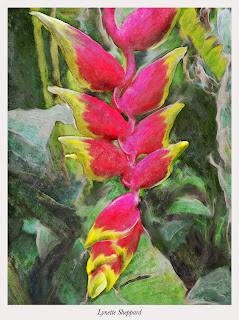
The above image was transferred to my iPad or I'd never have been able to process it - the iPhone, much as I love it, is just too tiny for accurate brush strokes. This heliconia blossom was "painted" in Ghostbird Software's Photoforge app using the smudge tool, (way harder than Pixel Blend, but it wasn't available when I worked this) then combined with a sketch of the same image from Jixi Pix Artista Sketch app. The combining and blend mode was done using IRIS Photo Suite app.

So iphoneographers, that's my story and I'm stickin' to it. The two best and most versatile transfer apps for less than the cost of a latte. You can't afford not to have them!

Photo Sync is The #1 Transfer App

Photo Sync is The #1 Transfer App
Photo Sync
Okay iPhoneographers, yesterday I posted about 2 of my favorite transfer apps. I closed the post with that's my story and I'm stickin' to it. However today is a new day, and I am changing my story, after hearing from the PhotoSync folks that their app also works via Bluetooth. So I tried it and I'm now happy to report that PhotoSync rocks over bluetooth! It is blazing fast and is now my only go-to transfer app. (Sorry, Photo Transfer. It was lovely while it lasted.)

New iPhone Photo Gallery

iPhoneographer John Derby contributes a few of his favorite iPhone images to iPhone Diva. To create The Green Bar, he used these Apps: Snapseed, Pro HDR, Simply HDR, Grungetastic HD.
New iPhone Photo Gallery
 About Iris #4, John says:  "I used only Pro HDR, and Snapseed (get the joke?) on this flower's pic." Love the selective focus here.

Painteresque: iPhone Diva’s New Fave App

I was asked the other day what might be my favorite iPhone photo art app. That’s hard to answer - because I have lots of favorites - and they change all the time.

Painteresque: iPhone Diva’s New Fave App
iPhone Diva’s New Fave App
It all depends on what I want to convey in an image, and that usually involves a number of apps for each shot. Sometimes I’ve previsualized - taking a shot with a specific app in mind; other times it’s an organic process of just working a photo until it “feels right”.

Zion N.P.: The Perfect iPhoneography Locale


Zion N.P.: The Perfect iPhoneography Locale
The Perfect iPhoneography Locale
Yesterday afternoon along the Virgin River, surrounded by red rock cathedrals - the iPhone was up to the task and I ignored my big girl camera. Pro HDR, Tiffen Photo FX for enhancing, polarizing, and grad filters. A shout out to John Baker and wife Laurie who are leading a photo tour here - love your work! (See more of their photos and fab photo tours at travelimages.com).

iPhone Photo Magic: Just Add Apps


iPhone Photo Magic: Just Add Apps
iPhone Photo Magic     
I always knew the iPhone and its apps were pure magic. Still, some shots just don't make the grade no matter how you app them. Or so I thought until I took two positively dreadful ProHDR shots of a herd of buffalo straight into the sunset. Check them out.

iPhoneography - Country Style

Here are some more great iPhone art endeavors from fellow iPhoneographer John Derby. I've included his descriptions and apps. (I appreciate the stories of the photos just as much as the pics themselves. And that's saying something!) Enjoy!
iPhoneography - Country Style

Title: Sean's Rig
Location: Chadwick, Missouri, USA
Equipment: iPhone 4, iPad 2
Apps Used: Camera +, Snapseed, Pro HDR, Simply HDR, Rainy Daze